
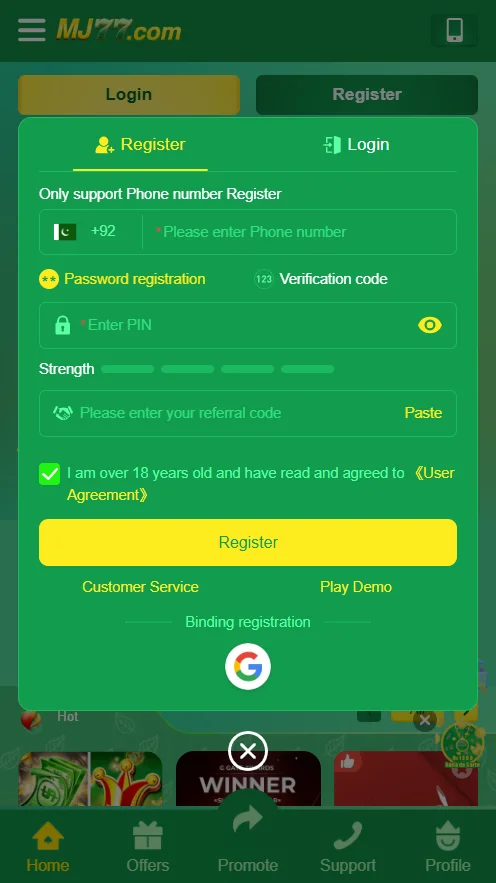
To register on MJ77 Game, first open the app and tap the Register button on the main screen. Enter your phone number starting with +92 for Pakistan, then choose password registration and input a strong PIN. Next, add a referral code if you have one, and check the box to agree to the user agreement as someone over 18 years old. Finally, tap Register to complete the process and access your new account quickly.
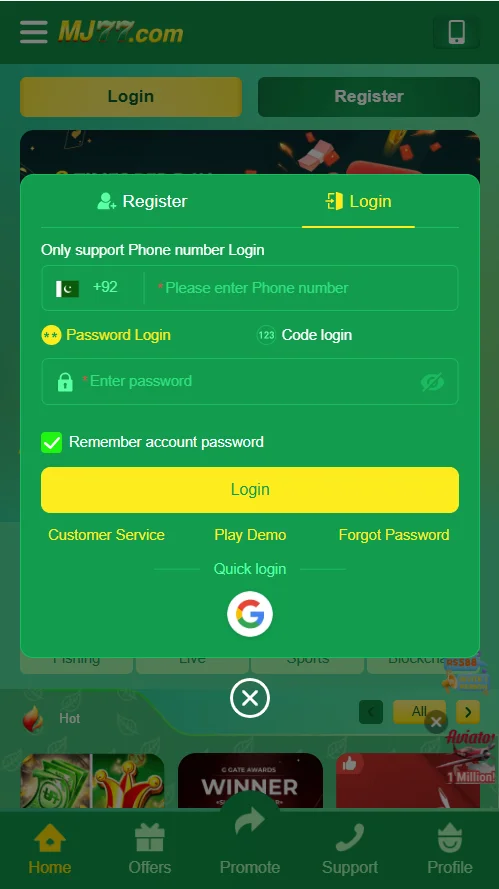
Logging into MJ77 Game App starts by launching the app and selecting the Login option at the bottom. Input your registered phone number with +92 prefix, followed by your password in the secure field. Enable the remember password feature for easier future access, and hit the yellow Login button to enter. If needed, use quick login via Google or contact customer service for help with forgotten details.